

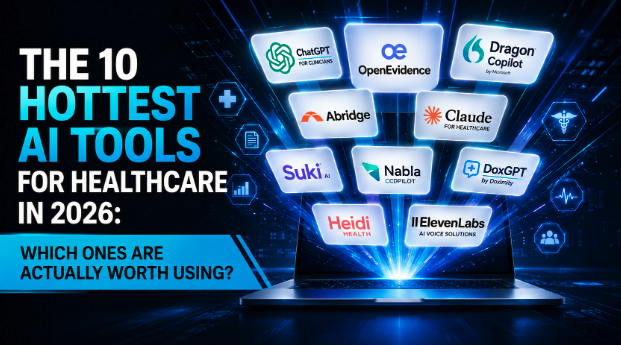
How to Read This List
After spending the past seven years inside more than 500 healthcare practices across 28 specialties, I have had the opportunity to see which AI tools actually create measurable improvements and which ones become expensive subscriptions that nobody uses after the first month.
The reality is that most practices do not need ten AI tools. They need the right one. Sometimes two. Occasionally three. The key is understanding what problem you are trying to solve before purchasing technology.
Are you trying to reduce physician burnout? Improve documentation? Automate patient communication? Increase lead conversion? Reduce administrative burden? Each goal requires a different approach. Below we break down the ten hottest AI tools in healthcare right now, what they do, their strengths, their weaknesses, how easy they are to use, and who should consider implementing them. Just remember: only HIPAA-compliant AI tools belong anywhere near PHI.
1. ChatGPT for Clinicians
If you have never used AI before, ChatGPT is where I recommend most healthcare professionals begin. One of the biggest misconceptions about AI is that it requires expensive software, complicated integrations, and months of training. ChatGPT is often the exact opposite, most physicians can begin getting value from it within an hour.
The reason ChatGPT has become so popular in healthcare is because it does not solve one specific problem. It solves dozens of small problems that consume time throughout your day. Need a patient-friendly explanation of insulin resistance? A referral letter? Blog content, social media posts, patient handouts, staff training documents, email campaigns, or workflow SOPs? ChatGPT can help with all of those. One regenerative medicine clinic I worked with spent nearly two weeks creating educational materials for stem cell consultations. We used ChatGPT to rebuild the entire process in a single afternoon.
However, an important warning: ChatGPT is not a physician, not a medical expert, and not a replacement for clinical judgment. Physicians should always verify information before using it in patient care decisions, and PHI should never be entered into the consumer product. Think of ChatGPT as a highly capable assistant, not an autonomous decision maker.
Pros: extremely versatile, huge time saver, excellent for patient education and SOP creation, affordable entry point into AI. Cons: requires learning effective prompting, can occasionally provide inaccurate information, requires human review, not healthcare-specific. Ease of use: Beginner Friendly. Best for: any physician, clinic owner, administrator, or healthcare marketer looking to save time and improve efficiency.
2. OpenEvidence
If ChatGPT is your general-purpose AI assistant, OpenEvidence is your clinical research assistant. It was designed specifically for physicians who want fast access to evidence-based medical information.
Every doctor knows the challenge. You are in an exam room. A patient presents with a condition you have not seen recently. You know the information exists, but you do not have twenty minutes to review studies and treatment guidelines. OpenEvidence provides concise answers backed by medical literature, allowing physicians to quickly review evidence without digging through multiple databases. Physicians are naturally skeptical of AI-generated information, and OpenEvidence addresses this concern by emphasizing peer-reviewed research.
The biggest limitation is that OpenEvidence is designed for clinical decision support, not operational improvement. It will not automate your front desk, answer patient calls, or help you build workflows. But if your goal is becoming a more informed clinician, it is one of the most useful AI tools available today.
Pros: built specifically for physicians, evidence-based answers, fast access to clinical research, improves clinical confidence. Cons: limited operational applications, does not help with workflow automation, less useful for practice management. Ease of use: Beginner Friendly. Best for: physicians who regularly review medical literature and treatment guidelines.
3. Microsoft Dragon Copilot
If physician burnout had a mascot, it would probably be documentation. Many physicians finish seeing patients only to spend another two or three hours completing notes. That is exactly the problem Dragon Copilot is trying to solve.
Dragon Copilot combines ambient listening, voice recognition, AI documentation, and workflow automation into a single platform. The system listens during patient encounters and automatically generates documentation that can be reviewed and finalized by the provider. For larger organizations, Dragon Copilot is particularly attractive because of Microsoft's healthcare infrastructure and security capabilities.
The biggest challenge is implementation. Unlike ChatGPT, Dragon Copilot is not something you simply log into and start using. Most organizations need training, workflow adjustments, and integration planning to maximize its value. When implemented correctly, however, the return can be substantial.
Pros: major reduction in documentation time, strong EHR integrations, enterprise-level security, helps reduce burnout. Cons: higher cost than many AI tools, requires implementation planning, some workflow adjustment needed. Ease of use: Intermediate. Best for: large practices, health systems, and physicians struggling with documentation burden.
4. Abridge
Abridge has become one of the fastest-growing names in healthcare AI. Like Dragon Copilot, Abridge focuses on documentation. But what many physicians love about Abridge is how natural it feels during patient encounters.
Instead of constantly looking down at a laptop, typing notes, and splitting attention between the screen and the patient, providers can focus on the conversation while Abridge handles much of the documentation process. One primary care provider told me the biggest benefit was not actually time savings, it was being able to maintain eye contact during appointments again. That is an underrated advantage of AI scribes for doctors. Technology should make patient interactions more human, not less.
Pros: reduces charting burden, improves physician-patient interaction, easy implementation, growing EHR integrations. Cons: documentation still requires review, monthly costs can add up, accuracy varies depending on encounter complexity. Ease of use: Beginner Friendly. Best for: primary care, family medicine, internal medicine, and specialty practices.
5. Claude for Healthcare
If ChatGPT is your assistant, Claude often feels more like your operations manager. Claude excels at handling large amounts of information and maintaining context across long conversations. For healthcare organizations, this creates some incredibly useful opportunities.
Many clinic owners use Claude to build SOPs, create employee training programs, organize workflows, review policies, write operational documents, and improve internal communication. One practice owner I worked with used Claude to create an entire front-desk operations manual. What would have taken weeks of writing and revisions was completed in a fraction of the time. Its ability to analyze large documents also makes it useful for reviewing contracts, policies, and operational procedures.
The downside is that Claude is not specifically designed for healthcare. Like ChatGPT, it requires thoughtful prompting and human oversight. But for clinic owners trying to scale operations, it can become one of the most valuable tools in their technology stack.
Pros: excellent reasoning capabilities, handles large documents well, great for SOP creation, strong writing quality, helpful for operations and leadership. Cons: requires prompt-writing skills, not healthcare-specific, needs human review. Ease of use: Intermediate. Best for: clinic owners, administrators, consultants, and healthcare leadership teams.
6. Suki AI
One of the biggest challenges physicians face today is the sheer amount of documentation required after every patient encounter. Most doctors did not go to medical school because they love charting. They went to help patients. Suki was built with that reality in mind.
Unlike many traditional documentation platforms, Suki focuses heavily on voice interaction. Physicians can speak naturally, issue commands, create notes, and update records without spending excessive time typing. Imagine finishing a patient visit and verbally documenting the encounter while walking to the next room. One of the reasons physicians enjoy Suki is that it reduces screen time. The less time providers spend staring at a monitor, the more attention they can give to the patient sitting in front of them.
Pros: excellent voice recognition, reduces charting burden, improves physician-patient interaction, strong EHR integrations, easy daily workflow. Cons: requires adjustment to voice commands, still requires provider review, monthly subscription costs. Ease of use: Beginner Friendly. Best for: primary care, family medicine, internal medicine, and specialty practices looking to reduce documentation time.
7. Nabla Copilot
Nabla has quietly become one of the most popular AI documentation platforms among independent practices and smaller healthcare organizations. One reason for its popularity is simplicity. Not every clinic wants a massive enterprise solution. Many physicians simply want a tool that helps create better notes, reduces charting time, and does not require months of implementation.
The platform listens during patient encounters and generates documentation that can be reviewed and finalized by the provider. Many physicians who adopt Nabla report that they can finish notes significantly faster than before, and some have been able to eliminate much of the after-hours documentation that often contributes to burnout. Nabla also tends to appeal to smaller practices because it offers a cleaner user experience than some of the larger enterprise systems. Sometimes the best technology is not the most powerful, it is the one people actually use consistently.
Pros: easy implementation, user-friendly interface, reduces documentation burden, affordable compared to enterprise solutions, growing popularity among private practices. Cons: fewer enterprise features, still requires review and editing, less robust than larger platforms. Ease of use: Beginner Friendly. Best for: private practices, specialty clinics, and independent providers.
8. DoxGPT
One of the biggest advantages DoxGPT has over many competitors is familiarity. Millions of physicians already use Doximity, which means many providers do not need to learn a completely new ecosystem to begin using AI-powered tools.
DoxGPT was designed to help physicians streamline communication, documentation, content creation, and administrative work. Need help drafting a patient message? Writing documentation? Creating educational content? DoxGPT can help accelerate those tasks. While it may not have the broad capabilities of ChatGPT or the operational strengths of Claude, it provides a convenient AI solution within an environment physicians already trust. That familiarity often increases adoption because staff members are less intimidated by the technology.
Pros: built into a familiar physician platform, easy adoption, useful for communication tasks, helps streamline documentation, trusted healthcare environment. Cons: less versatile than ChatGPT, limited operational capabilities, smaller ecosystem than leading AI platforms. Ease of use: Beginner Friendly. Best for: physicians already active on Doximity who want a simple introduction to AI.
9. Heidi Health
Heidi Health has gained significant momentum over the past year because it offers something many physicians are looking for: simplicity. Not every practice wants an expensive enterprise platform. Not every provider needs advanced AI capabilities. Many simply want help reducing documentation time and improving efficiency.
The platform acts as an AI documentation assistant, helping providers generate notes and reduce the administrative burden associated with charting. One of Heidi's biggest strengths is accessibility. Smaller practices that may not have the budget for larger healthcare AI platforms often find Heidi to be an attractive option, and the implementation process is generally straightforward. While Heidi may not offer every feature available from larger competitors, many physicians appreciate its straightforward approach. Sometimes solving one problem really well is better than solving ten problems poorly.
Pros: affordable, easy implementation, reduces documentation burden, great for smaller practices, user-friendly interface. Cons: fewer advanced features, less mature ecosystem, limited operational automation. Ease of use: Beginner Friendly. Best for: small and mid-sized healthcare practices looking for practical AI documentation support.
10. ElevenLabs
While most healthcare AI conversations focus on documentation, one of the biggest opportunities in healthcare today may actually be patient communication. Think about how many opportunities are lost because a phone call goes unanswered. A patient calls after hours. The front desk is busy. A voicemail gets left. Nobody calls back until the next day. The patient books somewhere else. This happens thousands of times every day.
ElevenLabs is one of the most advanced AI voice platforms available today and is helping power a new generation of AI receptionists, voice agents, appointment schedulers, and patient communication systems. The technology has become so realistic that many patients do not realize they are speaking with an AI assistant. Imagine an AI voice assistant answering calls 24 hours a day, scheduling appointments, answering common questions, qualifying leads, following up with prospective patients, and recovering missed opportunities, all without increasing payroll expenses. One regenerative medicine clinic we worked with implemented AI voice technology to handle after-hours inquiries and within weeks was recovering leads that previously would have disappeared overnight.
The challenge with voice AI is implementation. Unlike ChatGPT, which can be used immediately, voice AI often requires integrations with phone systems, calendars, CRMs, and scheduling software, and this is exactly where healthcare automation plays a role. However, for practices struggling with staffing shortages, front-desk overload, or missed opportunities, the return can be substantial.
Pros: extremely realistic voices, available 24/7, improves patient communication, reduces front desk burden, scales efficiently. Cons: requires setup and integrations, more advanced implementation, not healthcare-specific out of the box. Ease of use: Advanced. Best for: practices looking to automate patient communication, scheduling, lead qualification, and after-hours support.
Which AI Tool Should You Start With?
After reviewing all ten tools, many healthcare professionals ask the same question: "Which one should I implement first?" The answer depends on your biggest bottleneck.
If you are brand new to AI, start with ChatGPT, Claude, and OpenEvidence. These three tools offer the highest value with the lowest learning curve.
If documentation is your biggest challenge, look at Dragon Copilot, Abridge, Suki AI, Nabla, and Heidi Health.
If your practice struggles with missed calls, lead follow-up, patient communication, and front-desk efficiency, explore ElevenLabs, ChatGPT, and Claude.
The most successful practices are not implementing AI because it is trendy. They are implementing AI because it solves a specific operational problem.
The Right AI, Not the Most AI
One of the biggest mistakes I see healthcare practices make is buying AI tools before understanding where they are losing time, revenue, and opportunities. A physician hears about ChatGPT and signs up. Then they hear about an AI scribe. Then an AI receptionist. Then another platform. Before long, they are paying for multiple subscriptions without a clear implementation strategy. Technology without a plan rarely produces meaningful results, see the hidden cost of AI tool overload for what this typically costs.
Through healthcare AI consulting, and for practices that need an embedded leader, a fractional AI officer, we help clinics identify bottlenecks, recover lost revenue, streamline operations, and implement AI systems that create measurable results. Instead of guessing which tools to use, the work starts by identifying the highest-impact opportunities first and then building a strategy tailored specifically to your goals, workflows, staff, and patient population.
The future of healthcare will not belong to the practices using the most AI. It will belong to the practices using the right AI. Start with the free 5-minute AI Readiness Assessment, or book a 30-minute strategy call, and we will map your highest-leverage first system together.